Specz ISP Installation Guide
Steps#
- Download the ISO or USB image here. This guide assumes you downloaded the USB installer.
- Write the image to the USB drive using Rufus or Balena Etcher. 3.Insert the usb drive and make sure to set USB as first boot option BIOS.
- Power on the pc/server. This will be boot the OpenBSD installer.
- Follow the sample guide below.
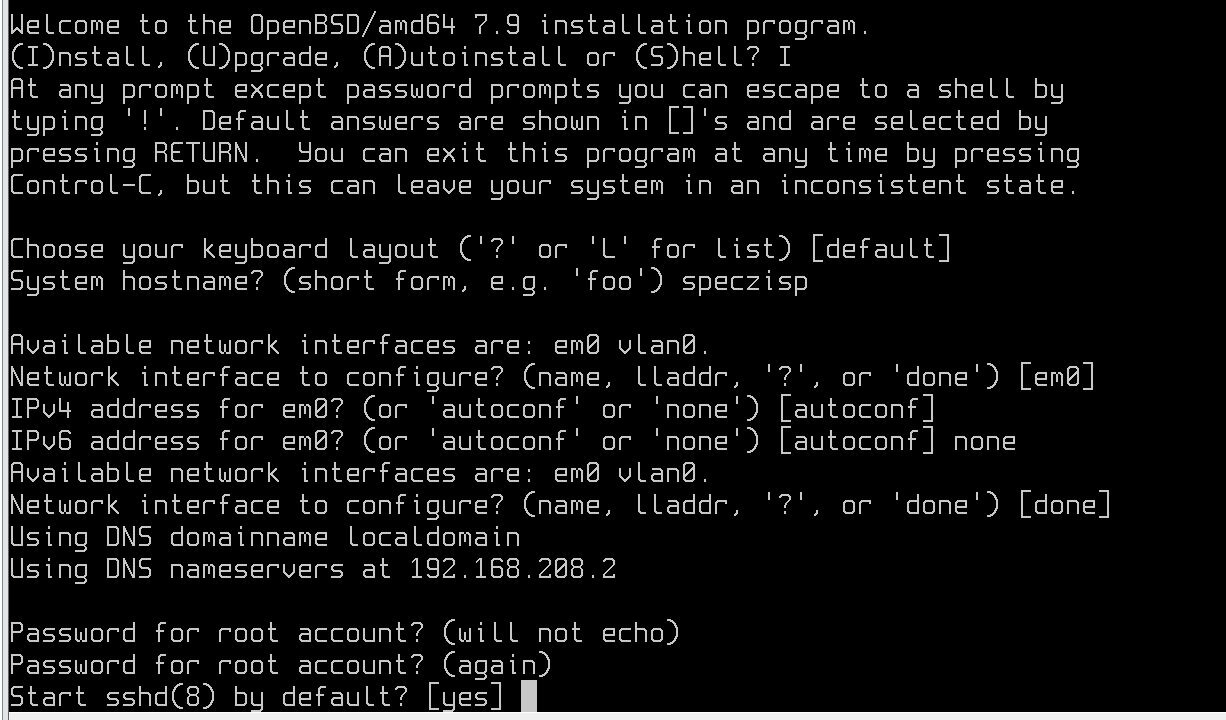
- Make sure to type no for X Window System.
- When asked for Setup a user, type 'admin'. Make sure follow this step else the Specz ISP software will not be installed.
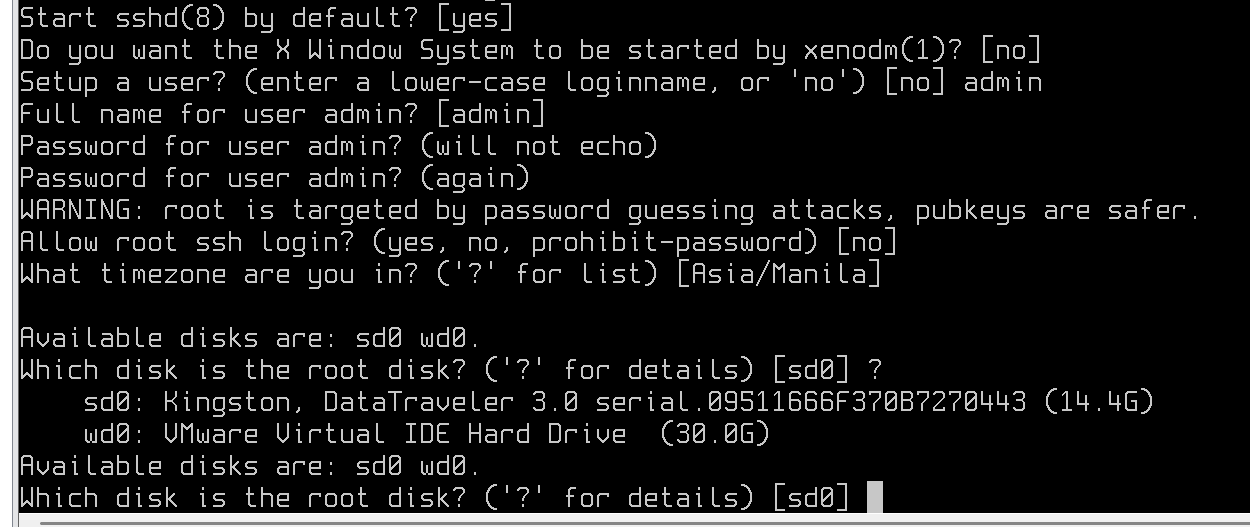
- Next is to select which disk to install into. Make sure to select the correct disk. Just type '?' to to list the disk. Then follow the rest from the image below.
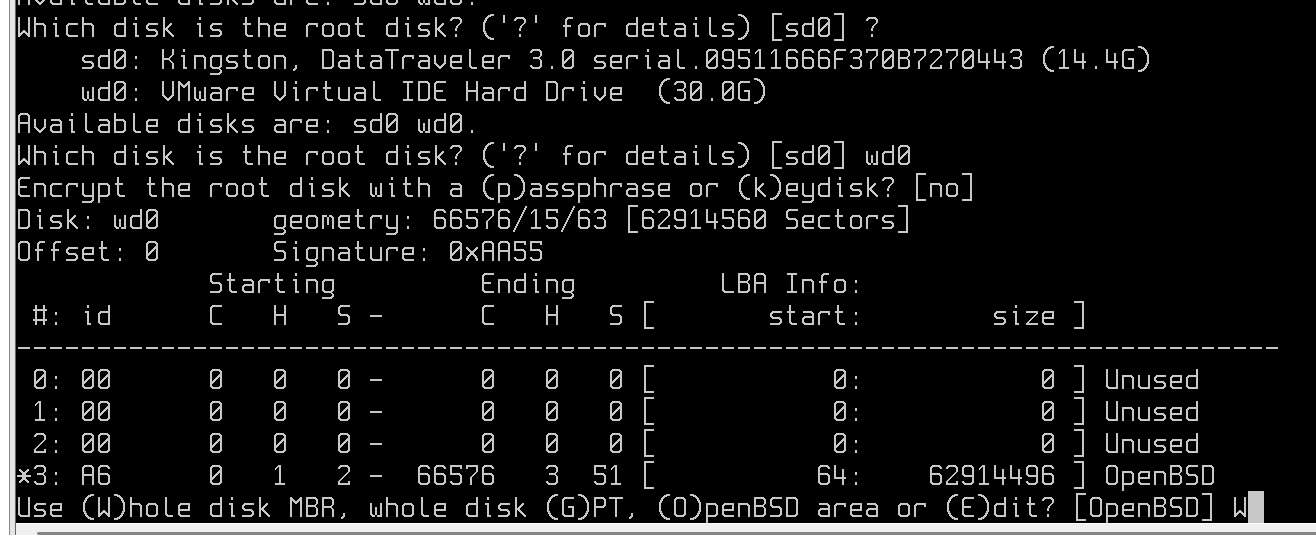
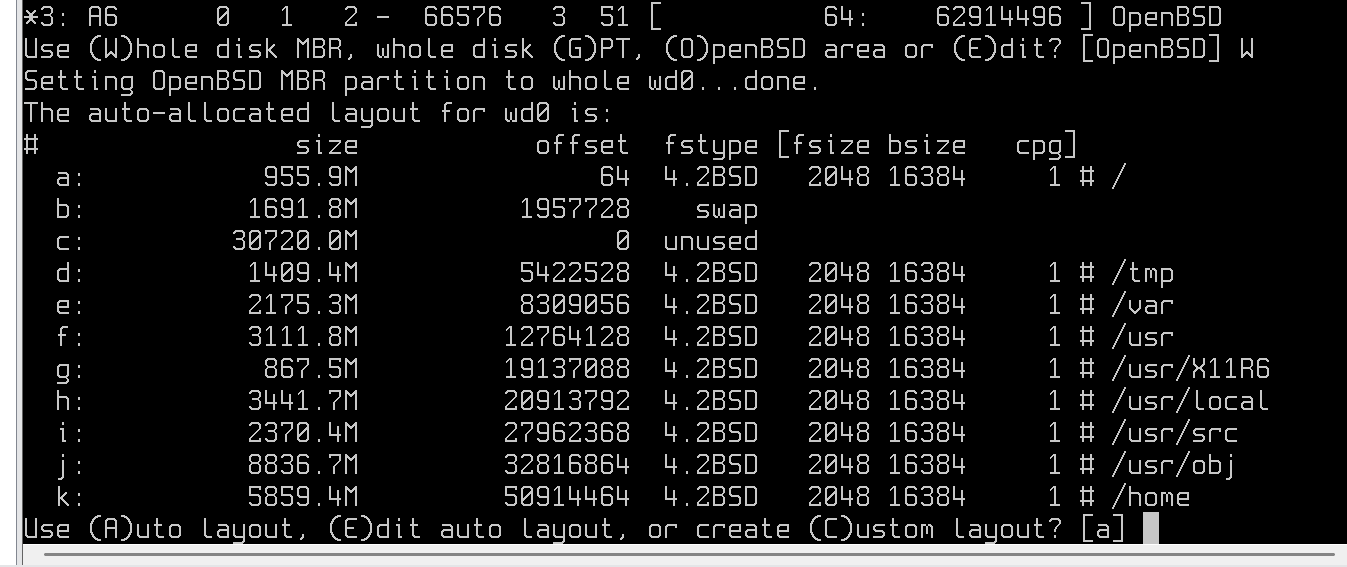


- Phase 1 installation is completed, Remove the usb drive and let the pc/server reboot.
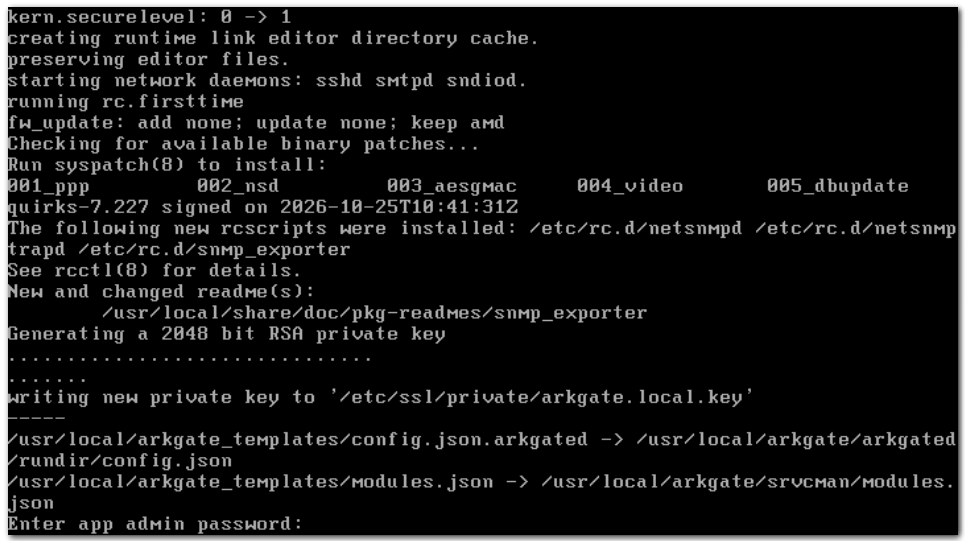
- During Phase 2 of the installation. You will be asked for app admin password. Type a secure password and reboot.
- Installation is completed. Proceed to to Initial setup.